
Quay crane reviews: where GenAnywhere sets the base scene
The generated scene covers the land side of a berth and the water beside it; the crane and its working envelope come from somewhere else.
GenAnywhere sets the base scene on the land side of a quay: the apron, the sheds behind it, the yard, the town beyond and the water along the edge. It does not set the crane. Ship-to-shore machines and yard gantries are design assets, so a crane review uses the scene as the fixed setting and brings the equipment in from an equipment model or library.
1 The edge the scene draws
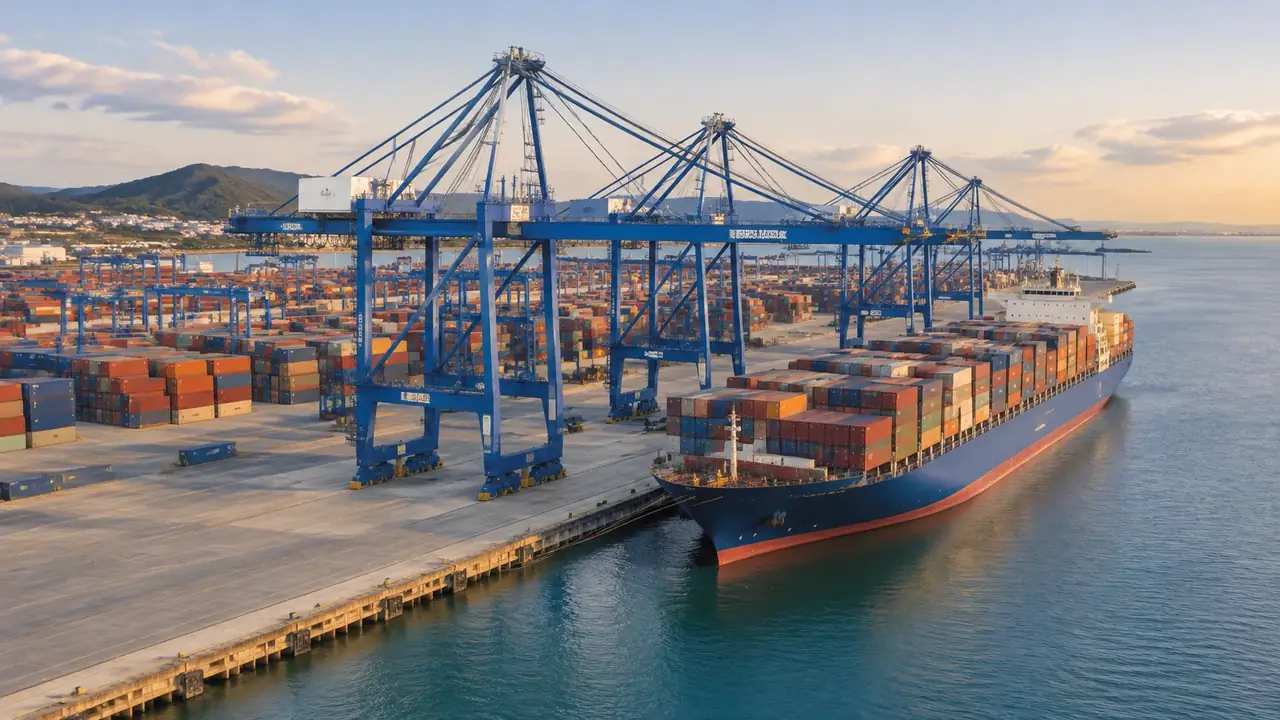
1.1 Where land meets water in the data
The shoreline in the map data becomes the boundary between ground and water in the model, and a quay wall reads as a vertical face along that line. Berth length, corner geometry and the shape of the apron all follow what the source data shows, which is usually good enough to orient a review. What you will not find is the structure behind the face: no cope line detail, no fenders, no bollards, no crane rail. Treat the edge as a boundary for orientation and take the dimensions from the marine drawings. A berth that curves slightly in reality and runs straight in the data is a small thing until someone scales a crane rail from a screenshot.
1.2 Sheds, gates and the apron behind the quay
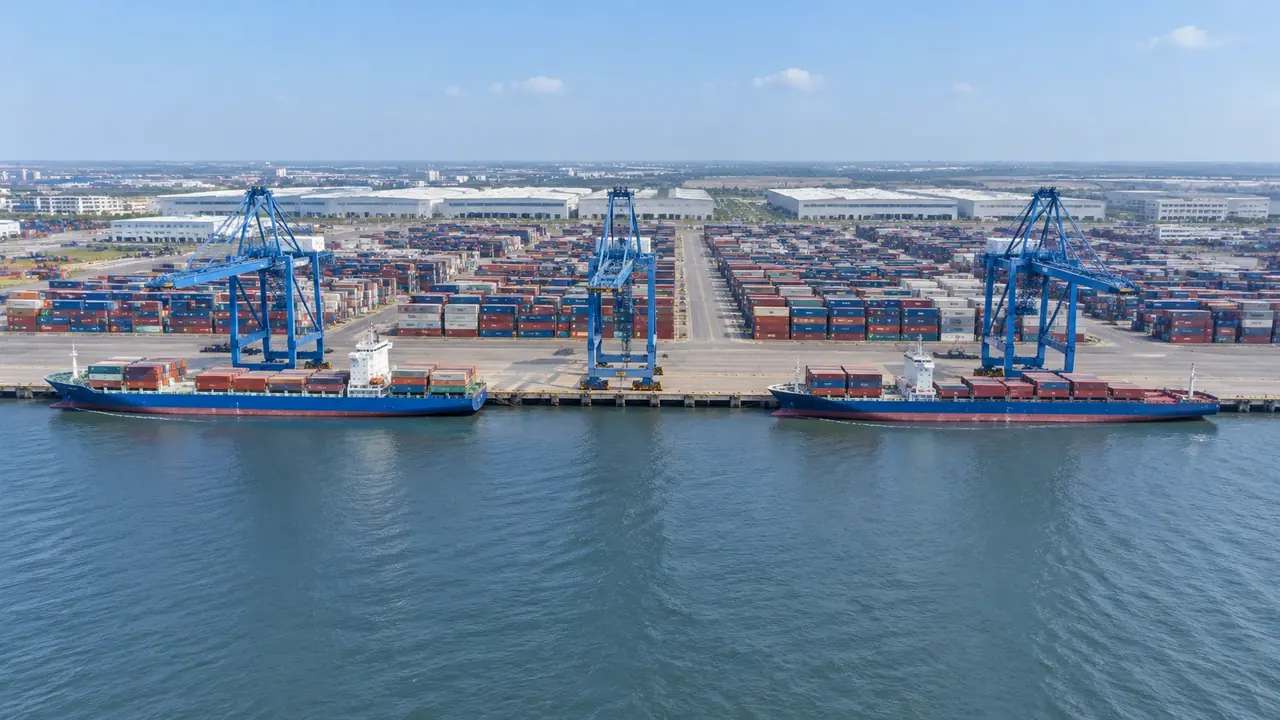
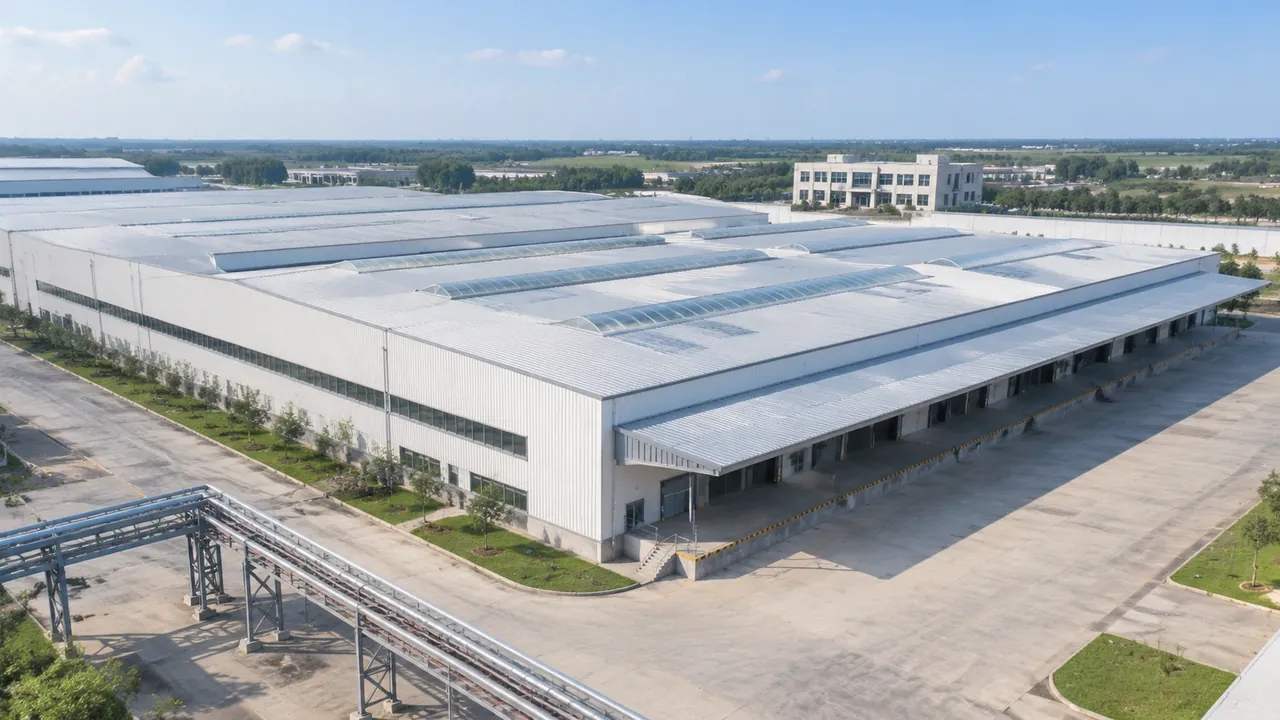
Warehouses, gatehouses, workshops and office blocks usually appear because their footprints are in the data, with estimated heights and inferred types. That gives a crane review its land-side context: how much apron sits between the quay line and the shed, which sheds block the view from the gate, how the yard opens towards the road. Heights that are slightly off rarely matter here, because the argument is about ground and distance rather than elevation. Correct a shed that has been rebuilt, and leave the rest.
2 Cranes on top of a base scene
2.1 Machinery belongs to the equipment set
The platform generates terrain, water, vegetation and building volumes. Cranes, spreaders, straddle carriers and trucks are outside that set, and the documentation says as much. Teams supply them from a vendor model, an internal library or a simplified block built for the review. Being clear about this at the start of a session saves the awkward moment when someone asks why the berth is empty. Nobody in a crane review is confused about what a crane looks like; they are there to argue about where it sits and what it can reach. Keeping the two conversations apart is most of the skill in running the session.
2.2 Positioning a crane model against the quay line
Once the crane geometry is in the same environment as the scene, the useful work begins: does the boom reach the water, does the backreach clear the shed, how much apron does the leg frame take. Those questions are answered by placing the asset and looking, which is faster than reading coordinates aloud. Keep the crane model at the vendor's dimensions and move the view, not the asset, because a stretched crane quietly invalidates the comparison you are making.
3 What a crane review takes from the setting
3.1 Backdrop and sight lines from the water
Cranes are tall, and tall things are judged against what stands behind them. The scene supplies the town, the hills, the neighbouring berths and the sheds, so a review can see how a new machine would read from the water or from the far bank. That is a visual question rather than an engineering one, and it is the question that decides most public-facing arguments about terminal silhouette. A view from the water side, taken at a realistic height, is worth more than another aerial.
3.2 Yard and gate context for the same decision
The same review often needs the yard behind the quay: where boxes would land, how the gate connects, whether a shed blocks the natural flow. The scene shows that ground without any cargo on it, which is a fair picture of what the site offers. Reviewers can then argue about layout on a clean surface instead of reading through stacks. It is not a traffic study and it does not pretend to be one, but it does show whether a proposed arrangement has room to exist.
4 Where the base scene stops helping
4.1 Water depth, vessels and lifting studies
Below the waterline the scene has nothing useful. There is no bathymetry, no vessel hull, no crane load chart and no lifting study, and none of those can be inferred from imagery. A ship placed in the scene for scale is an illustration, not a berthing assessment. Say that before the picture circulates, because a berthed vessel makes a rendering look authoritative in a way that a flat quay does not. Bodies such as PIANC publish the technical guidance that belongs with those water-side questions.
4.2 Berth works after the imagery date
Quays are extended, strengthened and re-fendered, and none of that appears if it happened after the imagery was captured. Check the date for the terminal area and mention it in the opening minutes, especially where a berth extension is part of the discussion. A current marine drawing beside a dated scene is a workable pair; a dated scene presented as the current berth is not. Ask the engineering team which works are recent, and write the answer into the note that travels with the screenshots.
5 Setting up the review
5.1 Choosing viewpoints that answer the question
A crane review needs three views: one from the water at working height, one from the gate looking towards the quay, and one wide enough to place the terminal in its city. Each answers a different question, and taking them in that order keeps the room from arguing about detail at the wrong scale. The water view settles the silhouette question, the gate view settles access, and the wide view settles the neighbours. Save the camera positions rather than rebuilding them next time. A review that returns in three months will want the same three views, and reproducing them is easier when the positions were noted rather than remembered.
5.2 Layer states that make the argument
Buildings, terrain and vegetation can be shown or hidden as layers. Hiding vegetation clears the yard edge, hiding buildings exposes the apron and the quay line, and hiding both leaves the ground on its own. Each state supports a particular sentence in the review, so choose the state before you speak rather than toggling while the audience watches. Caption the screenshot with the layers that were active, since an empty apron can be mistaken for a cleared site.
Open the GenAnywhere app and set a berth scene
6 Handover
6.1 List the equipment outside the file
The export carries the setting, so the handover note has to carry the rest. List the cranes, spreaders, trucks and vessels that were placed for the review, and name the source of each model. That list tells the next team what to recreate and what to leave out. It also makes clear which parts of a shared image were context and which were illustration, a distinction that gets lost once a picture is pasted into a slide.
6.2 Say what the file is for
A GLB used to brief a structural team, a GLB used as a backdrop in a game engine and a GLB used for a planning image are three different products with one name. Name the purpose in the handover and the receiving team can prepare the right environment. If the file is going into a BIM workflow, expect the receiving tool to add its own structure and levels around it. Where the licence matters, the authorization statement sets out what the export permits.
6.3 Agree who owns the crane models
Crane geometry usually comes from a vendor or a consultant, and its use may carry conditions that have nothing to do with the site scene. Settle who supplies it, who updates it and whether it can travel in a shared package before the review, not after. A short answer in the handover prevents an awkward exchange later. The base scene is a GenAnywhere output; the crane is somebody else's asset on loan to the picture.
7 FAQ
FAQ-1 Where do the crane models come from?
From your own side of the workflow. Vendor libraries, consultant models and simplified blocks all work, as long as the dimensions are the vendor's rather than invented. The platform supplies the berth, the water and the yard, and nothing about the machine. Teams often keep a small set of standard crane assets for early reviews and swap in the detailed model when the discussion turns to reach or backreach.
FAQ-2 Can I show a taller crane in the scene?
Yes, by changing the asset rather than the scene. A proposed crane with a longer boom or a higher hinge point is a different model placed on the same apron. The scene will show how the taller machine reads against the sheds and the town, which is usually the point of the exercise. It will not tell you whether the quay structure can carry it, and that question belongs with the structural engineer.
FAQ-3 Does the water in the scene have depth?
No. The water is a surface that follows the mapped shoreline, without bathymetry, currents or berthing pockets. Draught, under-keel allowance and vessel handling are outside what imagery can supply. Use the water for orientation and silhouette, and use hydrographic survey data for anything that depends on what is below the surface. Mixing the two is how a picture ends up carrying a claim it cannot support.
FAQ-4 What does the export give a terminal team?
A GLB with the land side and the water edge: terrain, water, vegetation, buildings, and any edits made before export. It does not include cranes, cargo or vessels. Terminal teams use it as a setting for their own equipment models, and planning teams use it for context images. Check it in the receiving tool, note the imagery date, and say which elements were added on top of the file.
See how a berth scene moves into an equipment workflow
Content and technical notes
This article was prepared by the GenAnywhere team with AI-assisted drafting and human review.
Product features, formats, and availability change as the platform evolves; refer to the official GenAnywhere website for current details.
For technical questions or corrections, contact support@genanywhere.com.
Last reviewed: 2026-11-13.