
VR worldbuilding: how studios block out a site, GenAnywhere
The context pass that comes before the art, and the decisions it should settle.
Studios block out a VR world in layers: the place, the massing, the dressing and the rules that hold them together. A mapped site model helps with the early layer, where a real location has to become geometry the team can walk through and argue about. The later layers still belong to the worldbuilding team, and the handoff between them is where most projects either gain time or lose it.

1 Read the place before the plot
1.1 What does the world need to say about its setting?
Every blockout carries an argument about the place, whether or not the team states it. A port district says trade, weather and shift work, while a hillside suburb says distance, privacy and a commute. Write two or three sentences about what the setting has to communicate before anyone opens a modelling tool, then test each massing decision against them.
Those sentences also settle arguments later. When a producer asks why a warehouse has a blank wall facing the water, the answer is in the brief rather than in someone's memory of a site visit.
Weather belongs in that brief as well. Rain, salt, dust and long summer evenings change how a place looks after a decade, and a world that ignores them reads as a set rather than as somewhere people live.
1.2 How much reference is enough before massing begins?
Enough to answer the brief's questions about scale, material and edge conditions. A handful of street-level photographs, one good aerial view and a plan will carry most blockouts further than a folder of two hundred images nobody has looked at twice. Sort the reference by what it proves rather than by where it came from.
Keep a short list of the gaps. Reference that does not exist yet is a reason to plan a site visit, not a reason to invent a facade and hope.
Photograph the boring parts when you visit. Service yards, rubbish stores and the backs of buildings carry a district's texture, and they are usually missing when a team starts dressing from hero shots.
2 Choose a base and say what it is for
2.1 What should the base include before dressing starts?
The base needs the ground, the building masses, the routes between them and the edges where the world stops. Anything beyond that is dressing, and dressing placed on an unsettled layout tends to be moved twice. Decide which of those four the blockout must prove before you pick a method.
Write the list into the blockout file. A base with a stated purpose is easier to finish, because everyone agrees on the point where it stops being a blockout.
2.2 What does a generated site actually contain?
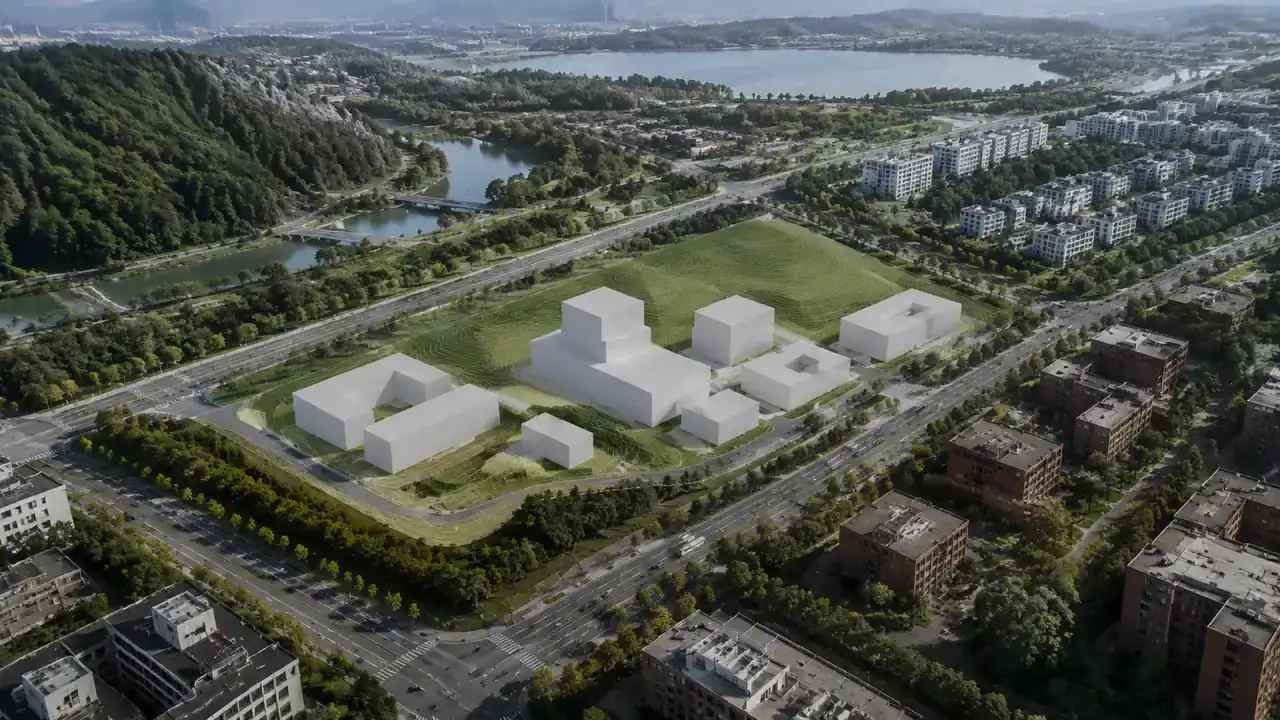
GenAnywhere builds an editable 3D site model from satellite and map data for an area chosen on the map. It identifies footprints, estimates building heights, infers types and reads the vegetation around them, then fits terrain to the ground. Buildings, terrain and vegetation stay in separate layers that can be previewed, edited and managed, and a single building can be swapped or retyped. Treat the result as AI 3D generation for site context: it describes what is outside a building and says nothing about interiors, structure or use.
A worldbuilder should read the output as an early draft of the place, not as a survey. It gives proportions, adjacency and a believable silhouette, and it leaves every narrative detail for the team.
3 Build the massing in passes
3.1 Which pass comes before the rest, ground or skyline?
Start with the ground and the routes a player can take, because a route decides where a wall matters. Set the skyline next, block by block, and check it from the places players will stand rather than from an orbit camera. Massing that reads well in an editor view can collapse into a flat wall at eye height.
Give each pass a stopping rule. The ground pass ends when every route can be walked and every edge is closed, and the skyline pass ends when a player can find their way back to the start without a map.
Heights in a generated scene arrive as estimates from mapped evidence, which is enough to argue about massing and not enough to settle a facade. Use them to test the skyline, then replace them with drawn heights before the art pass begins.
3.2 How do you keep a silhouette readable in a headset?
Vary height, roofline and setback, then step back and look at the outline against the sky. In a headset the player sees a narrow slice of the world at a time, so a silhouette needs landmarks at intervals rather than one grand composition. A chimney, a stair core or a gap between blocks does more work than a detailed cornice nobody can see.
Test the walk in both directions. A street that reads well walking north can feel like a corridor walking back.
4 Dress the world without losing the plan
4.1 When do props start hiding layout problems?
Props start causing trouble when they answer questions the layout has not settled. A market stall placed to fill an awkward corner hides the awkward corner, and the problem returns when the stall moves. Dress in passes, and hold detail back from any zone still under discussion.
One useful test is to remove every prop and walk the blockout again. If the route stops making sense without the dressing, the layout was relying on props to do work it should do itself.
4.2 How do terrain and planting change the story?
Ground shape and planting do narrative work that buildings cannot. A rise hides a district until the player climbs it, and a line of trees can separate a public square from a service yard without a fence. A blockout that keeps ground and planting in their own groups makes both easy to reshape without touching the building masses.
Use that separation to test two versions of a scene. A version with dense planting and one with open ground will settle a mood argument faster than a paragraph of description.
5 Hand the world to the engine team
5.1 What should the export include?
The scene can be previewed and exported as a general GLB for 3D, BIM, GIS and game engine workflows, and the site notes list tutorial directions for Unity, Unreal, Blender and other tools. Export the geometry and the layer names the engine team will need, and leave out the blocks nobody will walk past. A lean file is easier to review than a complete one.
Confirm the import path with the person who will receive it. Two teams can open the same GLB and end up with different hierarchies, and the difference is worth discovering before the dressing pass starts. The glTF overview from the Khronos Group explains what the format carries, which helps when the engine team asks about materials and scene structure.
Generate a site base in the GenAnywhere app for the district your world is built on.
5.2 How do you write down the rules of the world?
Keep a short document that says what every district must share: ground floor heights, window rhythm, roof materials, street width and the palette the lighting will use. Write it for the person who joins the project in month eight, since they are the one who will need it most. Ten lines that people read beat forty pages that nobody does.
Pair the document with two or three reference scenes rather than with adjectives. A screenshot of a finished corner explains a rule about density faster than a paragraph, and it survives changes of staff better than an email chain.
6 Keep the world coherent as it grows
6.1 Who guards the visual rules?
One person should hold the rules for scale, materials and density, with the authority to reject a block that breaks them. On a small team that may be the art director wearing a second hat. The role matters more than the title, because a world grows by dozens of small decisions that nobody reviews together.
Put the rules where the decisions happen, beside the blockout rather than in a wiki nobody opens during a build. A rule that requires leaving the scene to find it gets applied late, or not at all.
6.2 What happens when the world outgrows one site?
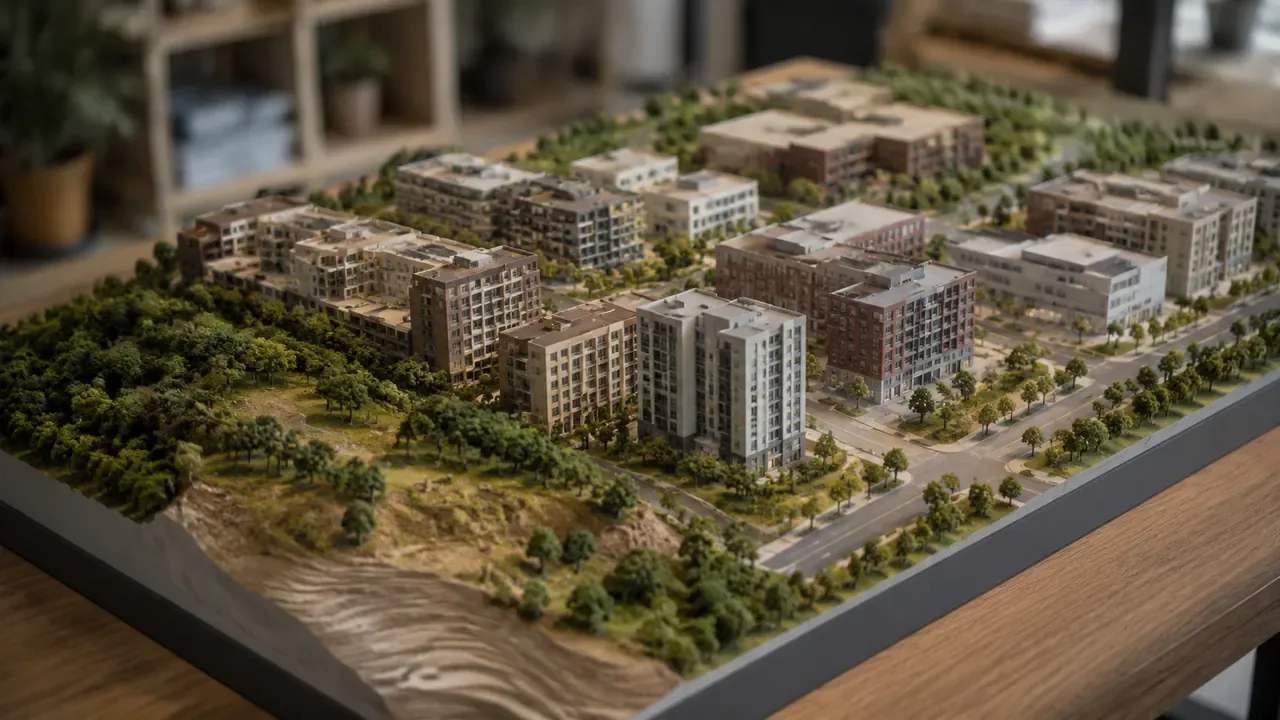
Expand in whole districts rather than in fragments, and generate each new area with the same settings as the last. Adjacent areas built months apart can disagree about roof height or street width, and the join shows up in the headset as a step in the world. Keep a shared reference board for the seams.
Match the lighting across the boundary as well. A district that ends in a different time of day reads as two places stitched together, even when the geometry lines up.
6.3 When is a generated base the wrong tool?
It is the wrong tool for invented geography, for interiors and for any location whose story depends on detail a map does not hold. A floating island or a station carved into a cliff needs a designed massing, and a mapped site will pull the design toward the ordinary. Choose the base after the brief, not before it.
A useful test is whether the level still works if the real place disappears. When the answer is yes, the world was designed, and the site base was a shortcut to proportion rather than a substitute for design.
7 Questions worldbuilders ask about site bases
FAQ-1 Can a mapped base carry a stylized art direction?
It can, if the team treats the geometry as proportion rather than as appearance. Materials, lighting and silhouette edits do most of the stylizing, and a plain blockout resists exaggeration until someone reshapes it. Decide how far the world departs from the real place, then rebuild the parts that carry the style.
FAQ-2 What happens to buildings added after the imagery?
They will be missing, and the gap is easy to miss in a dense district. Check recent photographs or planning notices for the streets the player will use, and add the missing masses by hand. A short list of known changes kept beside the blockout prevents a reviewer from discovering them during a playtest.
FAQ-3 Does the platform model water and vegetation?
Water and vegetation are part of the generated scene, with vegetation read from the surrounding area and held in its own layer. Neither arrives with the detail a hero shot needs, and both are usually replaced or extended during dressing. Use them for mass, colour and the shape of a view, then hand the close-up work to the environment team.
FAQ-4 Can the scene be shared with a client or publisher?
Exports carry a permanent commercial licence for project use, and the usual limits apply: no resale of the source files, no use of the data for AI training, and no claim of ownership over the imagery behind the model. Third-party rights can add conditions. Share the exported scene under the terms your legal contact confirms.
See how the site-to-engine workflow runs on the GenAnywhere workflow page.
Content and technical notes
This article was prepared by the GenAnywhere team with AI-assisted drafting and human review.
Product features, formats, and availability change as the platform evolves; refer to the official GenAnywhere website for current details.
For technical questions or corrections, contact support@genanywhere.com.
Last reviewed: 2026-11-06.