
VR scene reviews: what teams verify in GenAnywhere
A review checklist for a generated site scene, from the boundary check to the note that closes a finding.
A VR scene review compares a generated site model with the place it represents, then checks the scene as somewhere a person will stand and move. GenAnywhere supplies the editable model and the export; the review supplies the judgement. What follows is a checklist of what teams verify, written for a session that ends with decisions rather than impressions.

1 Agree what the review is for
1.1 Which decisions can a scene review settle?
A review can settle whether the layout matches the brief, whether the scale is plausible and whether a route reads at walking pace. It cannot settle frame rate, comfort on a particular headset or whether the level is fun. Agree the boundary at the start, then hold the session to it.
Write the questions on the wall. Four is a good number, and each one should be answerable with a look and a sentence.
Do that before anyone books a room. A review without written questions turns into a tour of the scene, and tours end with compliments rather than decisions.
1.2 Who needs to be in the room?
Design, art and whoever will build the level: four people at most, because a headset passes between them slowly. Add a person who knows the real site if the model is based on one. Reviews with eight attendees produce notes and no decisions.
Someone has to run the session and someone has to write. Splitting those roles is the difference between a review and a conversation.
2 Check the scene against the site
2.1 How do you confirm the scene matches the place?
Start with the boundary and the date. AI 3D generation built the scene from an area drawn on a map, using the imagery available at the time, so the review opens by confirming both. Then pick three landmarks and check they sit where the team remembers them: a bridge, a corner building, a junction.
Where the scene and the site disagree, work out which one is wrong. Sometimes the model is behind a change on the ground, and sometimes the memory is. The scene came from mapped data with estimated heights, so treat it as a representation to test rather than a record to trust.
2.2 What do you do when the imagery is out of date?
Say so out loud rather than working quietly around it. Mark the parts of the scene that no longer match and decide whether the difference matters for the decisions at hand. If it does, the scene needs a new boundary or a new capture before the next session.
A scene reviewed without that note becomes a document that misleads the next team. The note takes a minute, and it is the cheapest correction available.
Brief the room before the walk when the mismatch is large. Reviewers who discover a known gap halfway through a session start questioning everything else they see, including the parts that are right.
3 Check the scene as a place to stand
3.1 What do you look at from eye height?
Stand at the entry point and look at what the player will look at. Check the camera height against doors and railings, the width of the pavement, the distance to the landmark. Anything that reads wrong at eye height will read wrong in the build, whatever the plan says.
Walk the route twice: once looking ahead, once looking at the ground. Players do both, and the second pass is where thresholds and steps show up.
Bring a tape measure to the review if the site is real and near. Two numbers, a door width and a pavement width, settle arguments that a headset cannot, and they take five minutes to collect before the session starts.
3.2 Which problems appear when the player moves?
A slope that tilts the horizon, a turn that arrives too late, a passage narrower than it looked. Give each reviewer two minutes of walking and watch where they slow down. That pause is the finding, and it is worth more than the comment they offer afterwards.
Ask what they expected around the corner. The gap between expectation and scene is the most useful output a review produces.
4 Check what the file carries forward
4.1 What should the exported file contain at review stage?
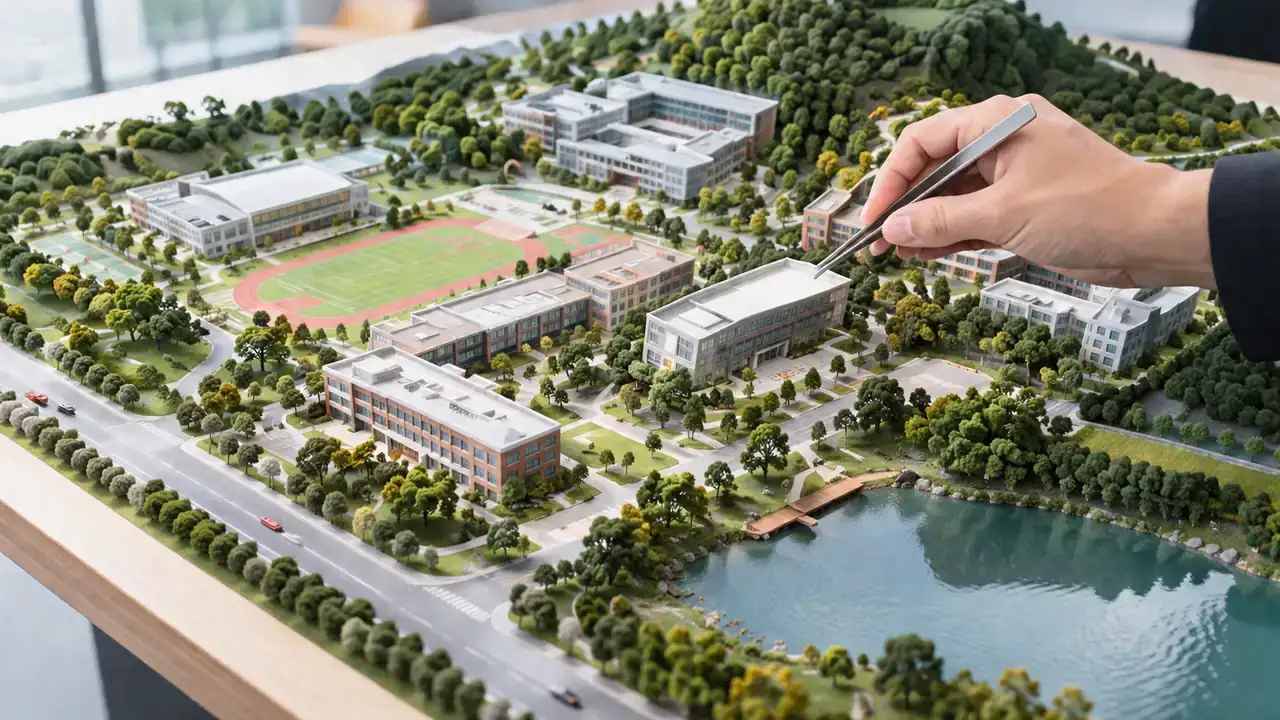
The geometry the team just walked, on its own layers, with scale and origin checked after import. GenAnywhere previews the scene before download and exports a general GLB, which is enough for a review record and not a replacement for the scene it came from. Keep the platform scene as the source and treat the export as the dated copy.
Name the file for the site and the date, then store it beside the notes so the two can be read together.
4.2 Which findings belong in a written record?
Decisions, not opinions. Each finding gets a location, a description, an owner and a next action. Add the questions nobody could answer, because they become the agenda for the following session. One page per review is a reasonable target.
Photographs from the real site help, particularly where the model is disputed. Attach them to the finding rather than to the file, so the argument travels with its evidence.
Keep the language flat. A finding written as "the corner reads blind at walking pace" is easier to act on than a paragraph about atmosphere, and it survives being forwarded to someone who was not in the room.
5 Run the session itself
5.1 How long should a review run?
Fifty minutes is enough for four questions when the scene is ready. Longer sessions produce fatigue, and fatigue produces agreement rather than judgement. Book the room for ninety and stop at fifty.
Send the scene and the questions the day before. Nobody should meet the model cold while wearing a headset, and nobody should be reading the model's documentation during the session either.
Build a short opening for every session: boundary, date, what changed since the last review. Two minutes of context prevents the same three questions from being asked again, and it gives latecomers a place to start.
Hardware differences belong in the briefing too. OpenXR is the open standard many headsets implement, and a scene that reads one way on one machine can read differently on another, so compare notes rather than assuming a shared experience.
5.2 How do you capture findings without derailing the session?
The writer keeps a running list and stays out of the discussion. Timestamp each note against the route so it can be found later, and read the list back at the end for correction. Anything not read back is remembered differently by the following week.
Keep the list visible on a second screen. A finding that nobody can see is a finding that gets re-argued next month.
The same goes for the headset handover. Wipe the scene back to the start point between reviewers, because a session that begins wherever the last person stopped produces findings about the wrong square.

6 Keep reviews repeatable
6.1 What stays fixed between reviews?
The boundary, the layer names and the route. A review that changes all three is a different review, and its findings cannot be compared with the last set. Change one thing at a time and say which one changed.
Keep the timing the same as well. A morning session and an evening session collect different comments, mostly about tiredness, and reviewers who arrive late rarely catch up on the route.
6.2 How do you close out a finding?
A finding closes when someone can point to the change that answered it, in the scene or in the design. Findings that close because the meeting ended tend to come back, usually during the build, when the fix costs more than it would have at review stage.
Give each finding a date and a name. A list of undated items becomes a wish list, and a wish list is the easiest document in the project to ignore.
6.3 When should the scene be rebuilt?
When the place has changed, when the boundary no longer covers the decisions, or when the file is older than the project's tolerance for stale data. Rebuilding takes less effort than a review that argues about the model instead of the design, and it resets the record to something everyone can trust.
A rebuild starts in the platform: draw the boundary again, generate a new scene and export it under a new date. Preview the new scene against the old screenshots before you export, since a rebuild that shifts the boundary quietly moves every landmark inside it. The old notes stay with the old file, because those findings were about that version of the world and rewriting them is how history gets lost.
Open the site scene in the GenAnywhere app and walk the route once before the review starts.
7 FAQ
FAQ-1 Is a scene review a formal sign-off?
No. It is an internal check that a generated scene represents the site well enough for the decisions in front of the team, and that everyone agrees on what those decisions are. It does not vouch for the model, the design or the build, and it carries no weight with an authority. Keep the notes as project records rather than as approvals.
FAQ-2 How many people should wear the headset?
Four is a workable ceiling for a single session, and two is often enough: one who knows the site and one who knows the level. Everyone else can follow on a mirrored view, which is faster and keeps the headset moving. Reviewers who never take a turn tend to repeat the same comment.
FAQ-3 What if the scene is wrong about something important?
Write it as the opening finding, with the evidence, and decide whether the session can continue. A boundary error usually means another session. A height that is slightly off can be noted and worked around. The distinction is whether the error changes the decision being reviewed. Keep the scene file that produced the finding, so the correction can be checked against the same geometry later.
FAQ-4 Can the same review be run again later?
Yes, and it should be. Keep the questions, the route and the file naming, then repeat the session after a major change or before a milestone. Comparing notes from two sessions shows what moved and what stalled, which is harder to see inside a single meeting and easy to lose if the format drifts. Two sessions are also enough to tell whether a review habit is working at all.
See how a drawn area becomes an exported file in the GenAnywhere workflow overview.
Content and technical notes
This article was prepared by the GenAnywhere team with AI-assisted drafting and human review.
Product features, formats, and availability change as the platform evolves; refer to the official GenAnywhere website for current details.
For technical questions or corrections, contact support@genanywhere.com.
Last reviewed: 2026-11-06.